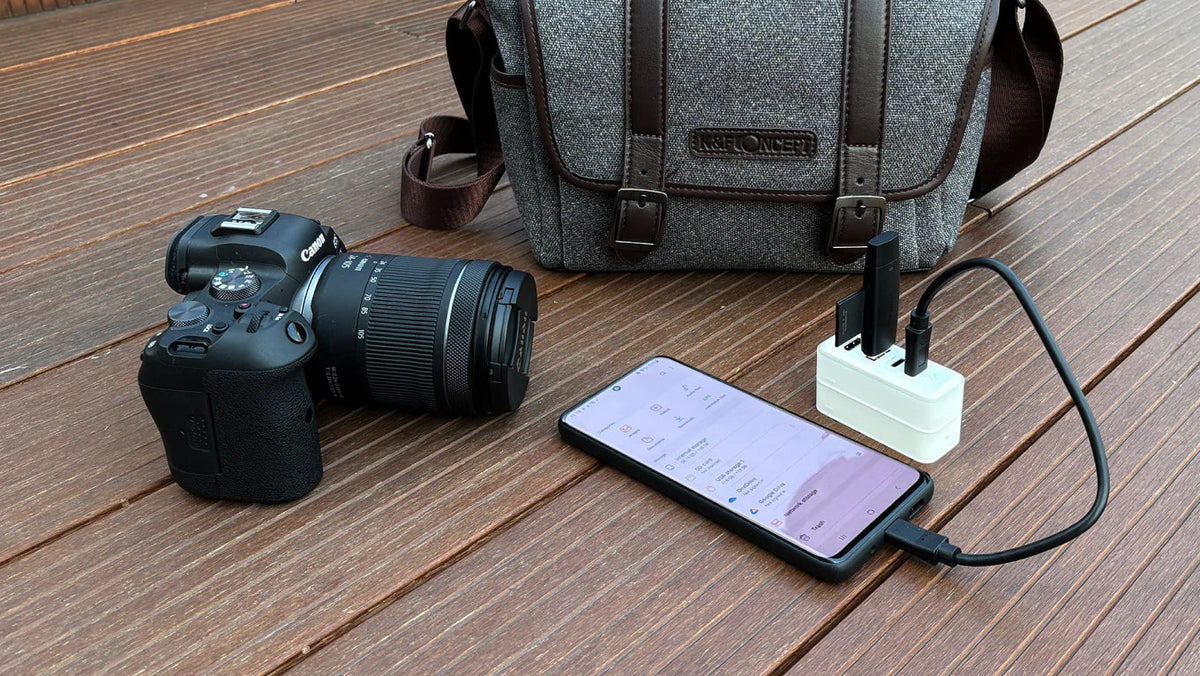
A laptop-free backup workflow is every photographer's dream. You are packing for a trip — perhaps a landscape shoot in Iceland or a street photography weekend in Tokyo. You pack your camera body, your lenses, your drone, and your batteries. The weight is already adding up. Then, you look at your laptop. Do you really need to bring it? It adds another 3 to 4 pounds (1.5kg) to your bag. However, you have to back up your footage. You cannot risk keeping everything on a single flimsy SD card. Therefore, you sigh and pack the heavy laptop and its brick of a charger. But what if you could leave the laptop at home? With the rise of powerful mobile devices like the iPad Pro and the modular design of Bricbloc, the laptop-free workflow is finally a reality. Here is how to build the ultimate lightweight EDC (Everyday Carry) for creators.
The "No-Laptop" Backup Solution
Bricbloc is not just a charger. Rather, it is a modular ecosystem. By combining the Hub Module and the 1TB SSD Module, you create a powerful data station that fits in your pocket. This laptop-free backup workflow changes everything.

The Setup That Changes the Game
Here is what you need:
-
Your camera's SD card
-
A USB card reader (small and cheap)
-
Bricbloc (Hub and SSD modules)
-
iPad, iPhone with USB-C, or Android phone
The Workflow
Instead of booting up a computer, simply follow these steps:
-
Snap the Bricbloc Hub and SSD together
-
Plug Bricbloc into your iPad or phone via USB-C
-
Plug your card reader into Bricbloc's USB-A or USB-C port
-
Open the "Files" app
Boom. You can now drag and drop RAW photos and 4K footage directly from your SD card to the Bricbloc SSD.
For more information on data backup best practices, check out this resource: https://www.pcmag.com/how-to/the-3-2-1-backup-strategy

Why This Setup Wins
1. Redundancy on the Go
The rule of data management is 3-2-1. Specifically, you need backups. With Bricbloc, you can copy your day's shoot to the 1TB SSD while sipping coffee at a cafe or sitting on a plane. Therefore, you do not need a table or a power outlet. Consequently, your footage stays safe on a solid-state drive, separate from your camera.
2. Speed That Matches Your Workflow
We are not talking about slow thumb-drive speeds. The Bricbloc SSD module uses NVMe technology. Specifically, it is capable of transfer speeds up to 1000MB/s. As a result, you can actually edit directly off the drive. For instance, open LumaFusion or Lightroom on your iPad, point it to the footage on your Bricbloc, and start editing 4K video with zero lag.
3. Power for Everything
Photography drains batteries. The beauty of Bricbloc is that it is also a 67W GaN Charger. While you are backing up your footage, plug the Bricbloc into a wall outlet. It will simultaneously:
-
Fast charge your iPad or phone
-
Fast charge your drone or camera batteries
-
Power the data transfer
Thus, one brick does three jobs.

The Minimalist Bag Dump
Let us look at the weight savings:
-
Old setup: Laptop (1.6kg) + Charger (0.3kg) + Dongle (0.05kg) + External HDD (0.2kg) = approximately 2.15 kg
-
Bricbloc setup: Bricbloc complete set (0.2kg) + iPad (0.4kg) = approximately 0.6 kg
Therefore, you just saved 1.5kg of weight. That is the equivalent of an extra 70-200mm f/2.8 lens.
You can also explore our other creator tools. For instance, check out the complete Bricbloc system for more options:Bricbloc
Conclusion
The best gear is the gear that does not slow you down. This laptop-free backup workflow allows you to maintain professional data discipline — backing up daily and editing on the fly — without the physical burden of a mobile office.
Next time you head out to chase the light, leave the laptop behind. Trust your pocket studio.
Shop the Bricbloc Professional Kit: [Shop the Bricbloc Professional Kit]
Share:
Why BricBloc is the Best Portable Dock Alternative for Nintendo Switch in 2026